
What’s newFind any order, customer, product or setting with one admin search. See all features
Features › Product options
Swatches, variants with their own stock, add-ons and a gallery for every color, plus a product editor that tells you what each listing still needs. Right inside your WordPress store.

If a shopper can’t pick the size, see the color or add the extra they want, they leave and buy somewhere else.
Build an option set once, such as sizes or colors, and attach it to any product. Each set asks what its choices do: make a variation, or add to the item with PRO. Free includes dropdowns and color swatches up to 200px, with up to two option sets per product. With PRO, every combination becomes a variant with its own SKU, price, stock and image, and choices can show as cards shoppers click anywhere on.


PRO adds twelve modifier types for everything that isn’t a variant: text boxes, checkboxes, radio groups, file uploads, combo boxes, image swatches and more. Each can be required, change the price, and show only when an earlier choice makes it relevant. Uploaded files stay private to the order.
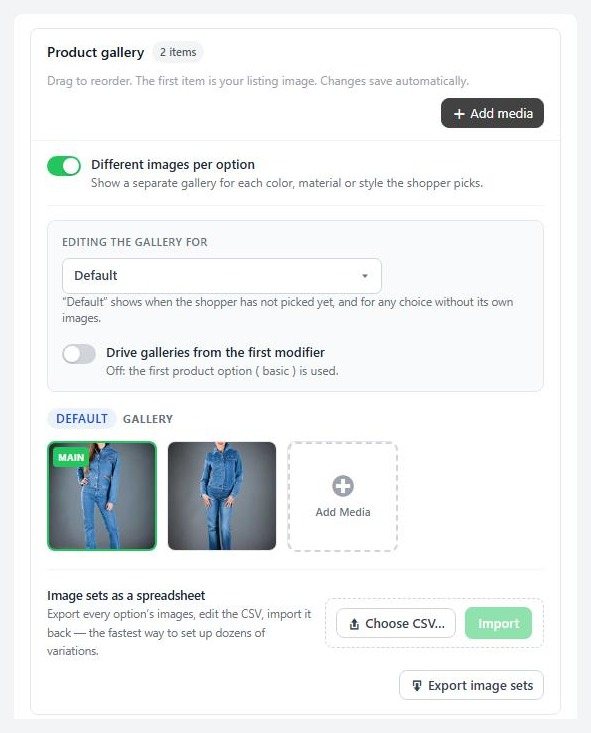
Every product gets a gallery with zoom and a lightbox. Free allows two images per product. PRO removes the limit, adds video, and lets each color or style have its own gallery, so picking blue shows the blue photos. Image sets can be exported and imported as a spreadsheet.
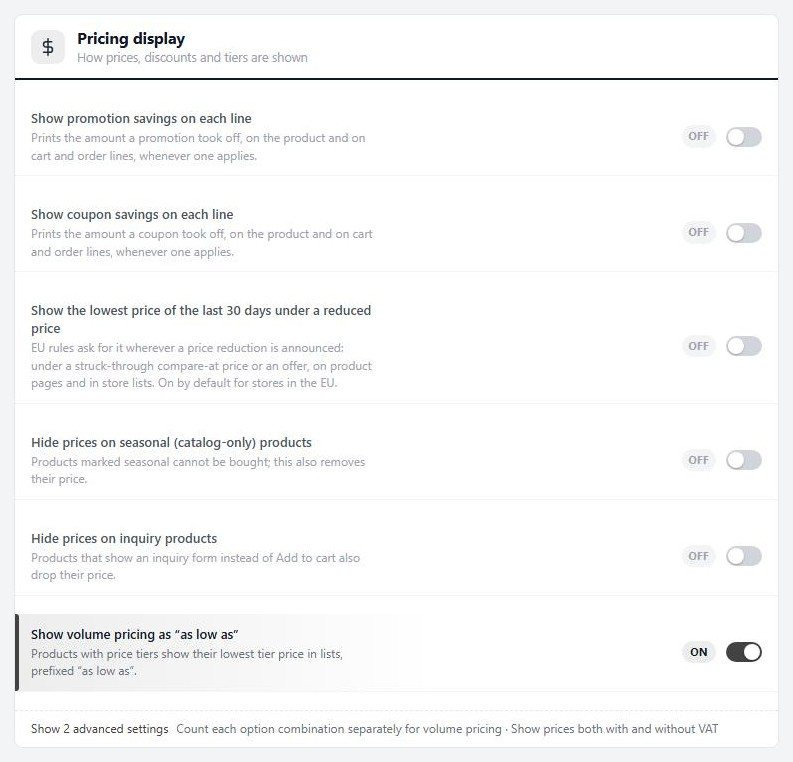
Show a unit price beside the price, such as €13.27 / kg, on product pages and in store lists, and send it to Google with PRO. When a price is reduced, show the lowest price of the last 30 days under it, as EU pricing rules require. It is on by default for stores in the EU. Both are in Free.
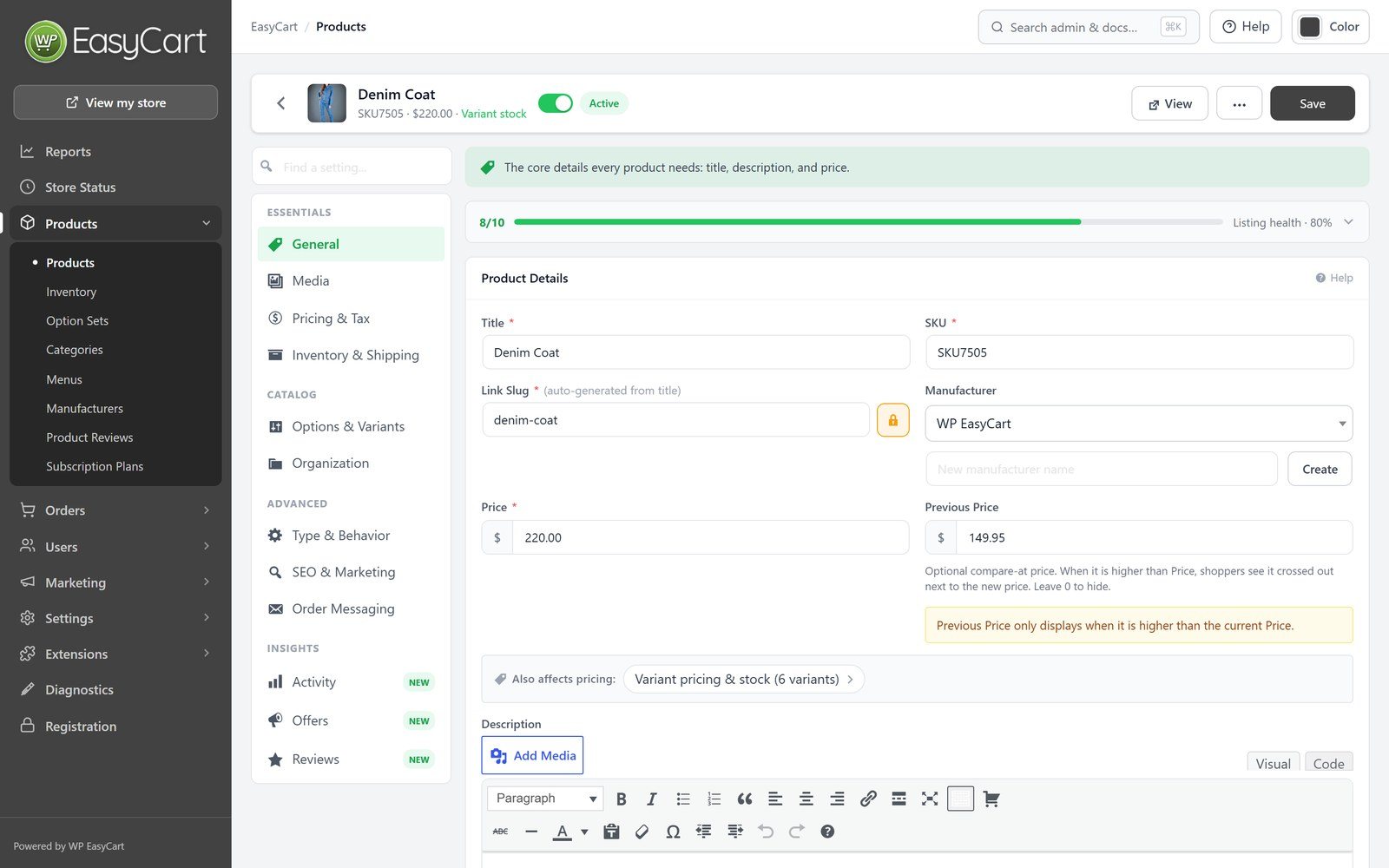
The product editor groups every setting into clear sections and scores each listing, so you can see what a product still needs before it goes live. Design settings set your store colors, fonts, product grid, product page layout, sale badges, image hover effects and your own CSS, with no code. All in Free.
Start with the free WordPress shopping cart plugin and add what your store needs.
Each one installs in a click from EasyCart › Extensions.
Product tabs for size charts, nutrition labels, specifications, FAQs and video, in ten tab styles, shared across your products.
In their own words, from WordPress.org reviews.
“Not only that but I can put these color images for options, so my customers can select colors by looking at the little swatches, but there are so many features in this software it’s an unbelievable deal at their low cost, which is worth it for their amazing support.”
komyreillyWordPress.org review, 2016
“It’s very organized and simple to learn PLUS the shop pages look awesome. Lots of variations to choose from without having to go in search of a plug-in.”
krstcarpWordPress.org review, 2019
“The options are amazing, I love that I can change the look of my shop with a few clicks of a button.”
neomaglightWordPress.org review, 2015
Yes. Swatches and dropdowns are in every edition, including Free. Each choice can have its own swatch image, price change and SKU suffix.
Yes, with PRO. Every combination of your option sets becomes a variant with its own SKU, price, stock and image. You can edit them in the product or export and import them as a spreadsheet.
Yes, with PRO. File upload, text box and text area are among the modifier types. Uploaded files are kept private to the order.
Yes, with PRO. Turn on Different images per option and give each color or style its own gallery. The default gallery shows until the shopper picks one.
Two in Free. PRO has no limit and adds product video.
Yes, in every edition. Add the unit to the product and the price per kg, litre or other unit shows beside the price on the product page and in store lists. With PRO, the Google product feed sends it too.
Yes. Settings › Design sets store colors, fonts, the product grid, the product page, the cart icon, sale badges and image hover effects. You can add your own CSS too.
Install the free plugin for swatches and design settings, or try PRO free for variants, add-ons and unlimited images.
★★★★★ 4.5 from 226 public reviews865,000+ downloads25+ years building ecommerce