
What’s newCard-testing protection now guards every store, Free included. See checkout
Features › Inventory
Track stock on every product, hold it while it sits in a cart, get warned before you run out, and decide what shoppers see at zero. Right inside your WordPress store.




You refund the order, then you lose the customer. Stock you can’t see is stock you can’t sell.
Turn on tracking and the cart never lets a shopper buy more than you have. Set a minimum and maximum per order, hold stock while an item sits in a cart, and allow backorders with an expected date when more is on its way. With PRO, give every size and color its own count.
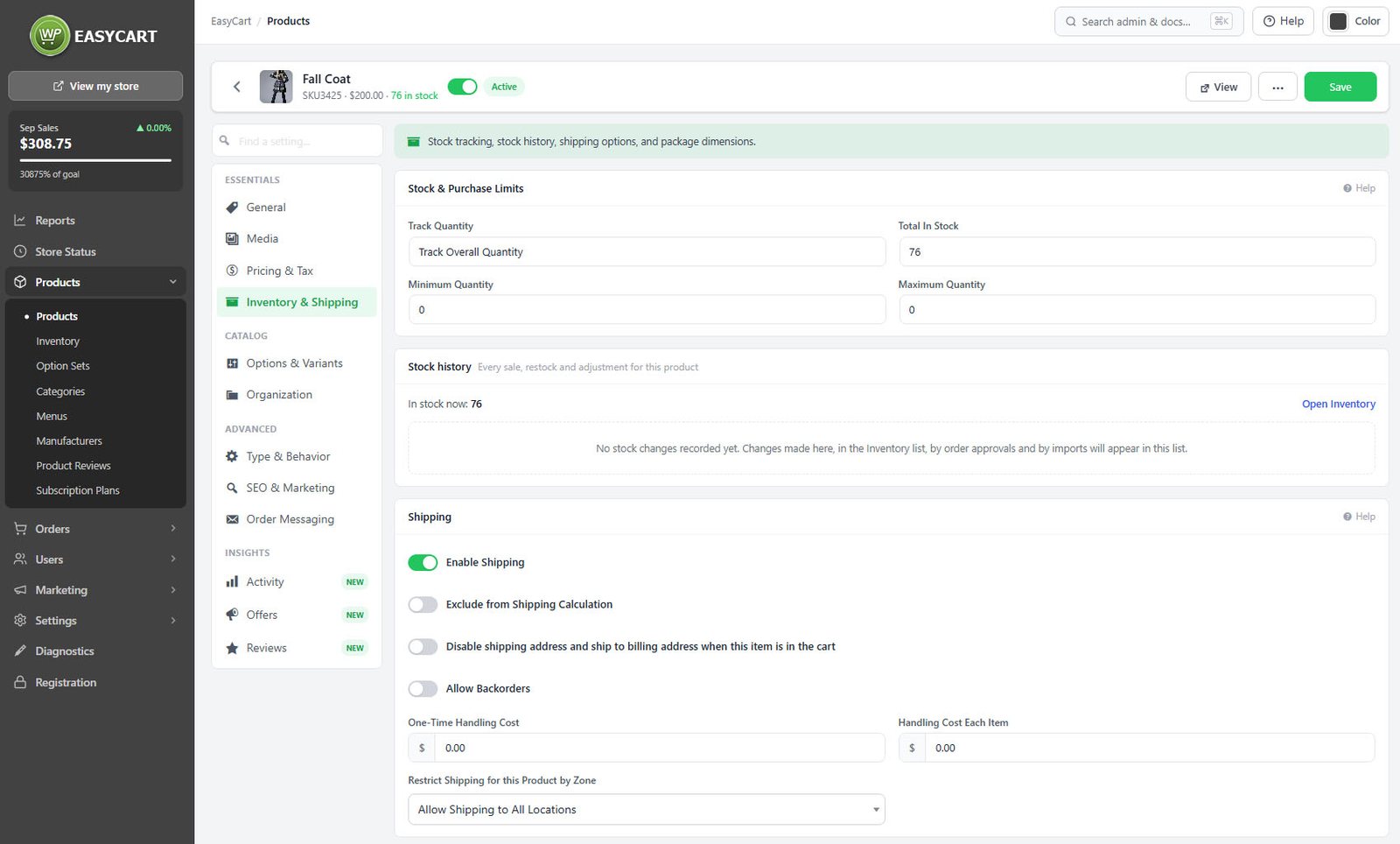

The Inventory page lists every tracked product and variation with what’s on hand. Tiles count what’s in stock, low and out of stock, and one click filters to them. Change a count right in the list or export it to CSV. Selling in person with Square? Bring its stock counts in, and online sales are sent back to Square.
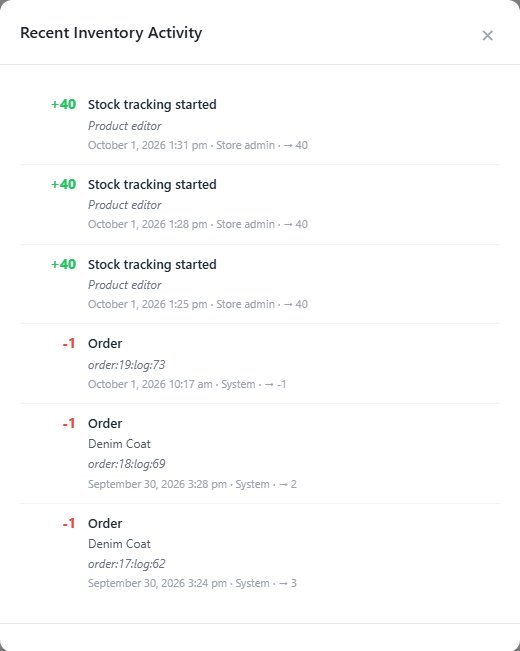
With PRO, every adjustment asks why: stock received, recount, damaged, lost, correction or restock. Orders, imports and bulk updates are logged beside it, so when the shelf and the screen disagree, the history shows where they parted. Reorder points and a daily or weekly low-stock digest keep you ahead, and shoppers waiting for a restock get an email when you press Notify.

Import products from a CSV with a preview of what will be added and updated before anything is written. Moving from WooCommerce? The built-in importer brings across products, categories, images and reviews. The spreadsheet view and bulk edit change prices and stock without opening a product.
Start with the free WordPress shopping cart plugin and add what your store needs.
Each one installs in a click from EasyCart › Extensions.
Syncs orders, customers and products with QuickBooks Desktop through the QuickBooks Web Connector.
Connects your store to ShipStation: paid orders go in, shipments and tracking come back. Labels, rates at checkout and stock too.
In their own words, from WordPress.org reviews.
“Importing from spreadsheet or Woo is easy, and while product pages are usable immediately, there are plenty of discoverable, thoughtful ways to customize the look and feel of your main store page as well as the individual product pages.”
tpenberthyWordPress.org review, 2020
“Also importing products from a spreadsheet is possible.”
WPforMEWordPress.org review, 2018
“It’s fast and easy to import products via .csv file.”
ginowhitakerWordPress.org review, 2015
Yes, with PRO. Set Track Quantity to Track Variation Quantity and give each option combination its own count; the product total is worked out for you. The free plugin tracks one count per product.
The Add to cart button is replaced with an out-of-stock notice and the product stays listed. Turn on Hide out-of-stock products from lists to take sold-out products out of the shop, or allow backorders on the product to keep selling with an expected delivery date.
Yes. Set a store-wide low stock threshold and turn on the low stock and sold-out emails. PRO adds a reorder point for any single item and a daily or weekly digest of everything running low.
Turn on Reserve stock while an item sits in a cart in Settings › Products. Stock drops the moment a shopper adds the item and comes back when the reservation ends, one hour by default. It works in every edition.
Yes, in the free plugin. With WooCommerce and WP EasyCart on the same site, the importer brings across products, categories, images, stock levels and reviews, and global attributes become option sets. Variations, coupons, customers and orders don’t come across, so plan to rebuild those.
Yes. Every edition can import Square stock counts onto matching products and sends online sales back to Square. PRO adds an hourly sync so stock follows Square automatically.
Yes. Export the inventory to CSV in any edition. With PRO, change the quantities and import the file back: you see a preview first, and every change is written to the stock history.
Install the free plugin for stock tracking and alerts, or try PRO free for stock history and bulk updates.
★★★★★ 4.5 from 226 public reviews865,000+ downloads25+ years building ecommerce