
What’s newCard-testing protection now guards every store, Free included. See checkout
Features › Orders
Find any order in seconds, see what it needs next, and ship it, refund it or invoice it from one screen. Receipts, packing slips and customer emails come with it. Right inside your WordPress store.





Every minute spent hunting for an order, retyping an address or chasing a payment is a minute not spent selling.
Tiles count what’s new, awaiting, shipped and refunded, and one click shows just those. Search by customer, email, phone, tracking number or transaction ID, filter by status, date, fulfillment, payment method or the product bought, then print, email, export or change status in bulk.

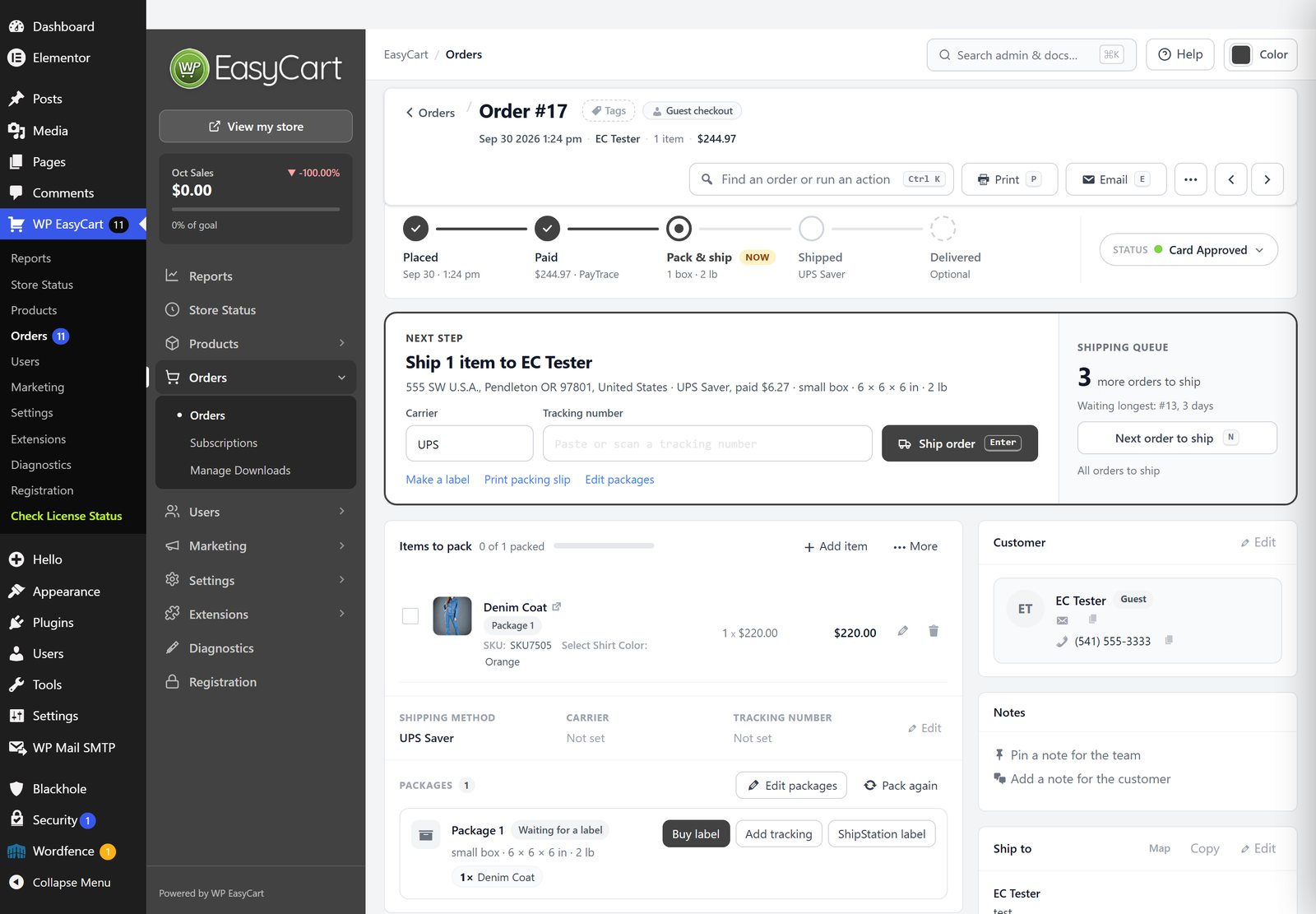
Five steps show where an order stands, from placed to delivered, and the Next step panel offers the one button it needs. Ship it with a tracking number and the customer gets the shipped email in the same step. Pin a note for the team, add one for the customer, and press Ctrl K to find an order or run an action.
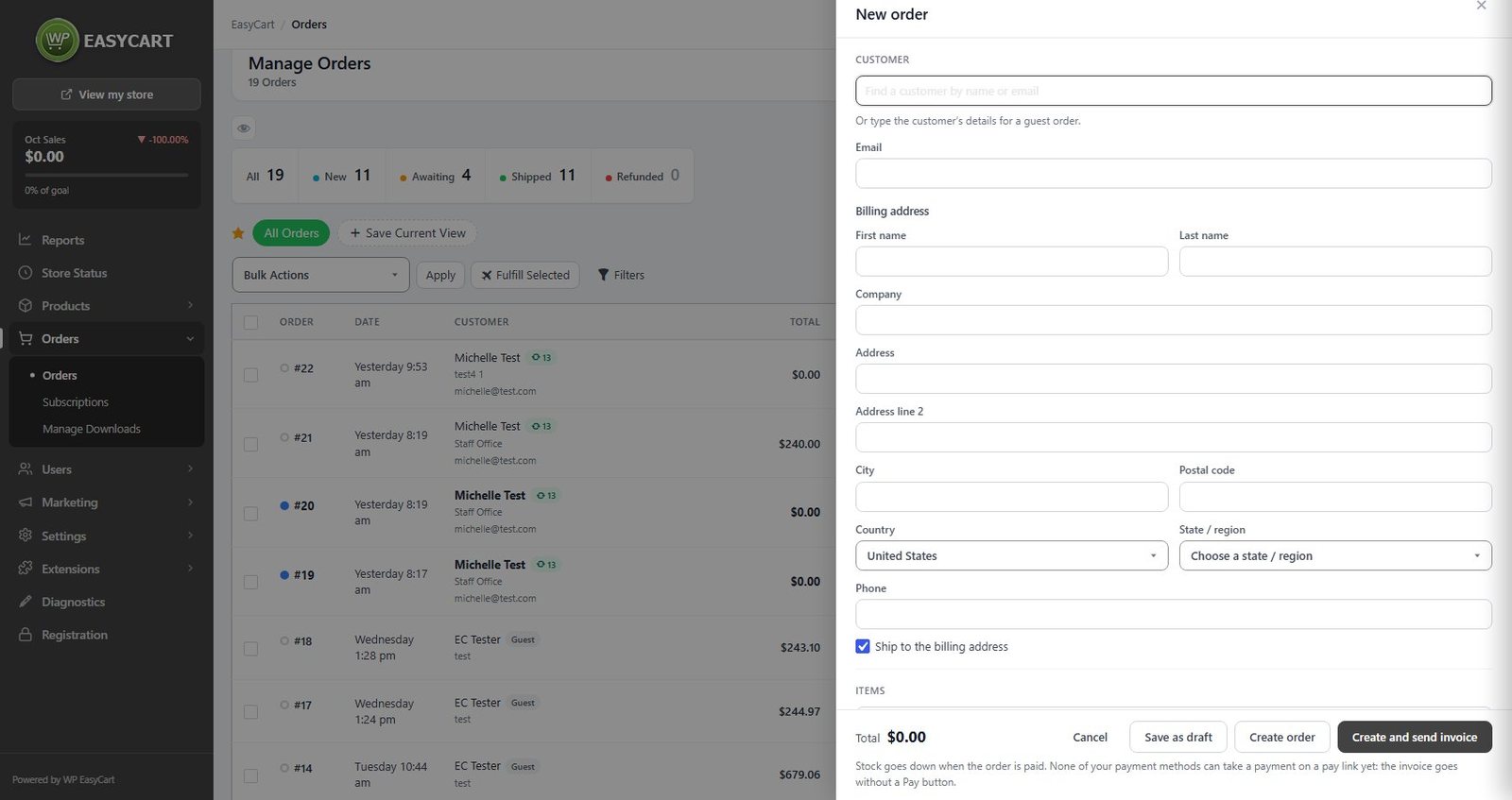
With PRO, build an order for a customer who calls or emails: pick the customer, add products or a custom line, set shipping and tax, then create and send the invoice. Its Pay button opens a page for that one order, paid by Stripe, Square or PayPal, and the order marks itself paid.
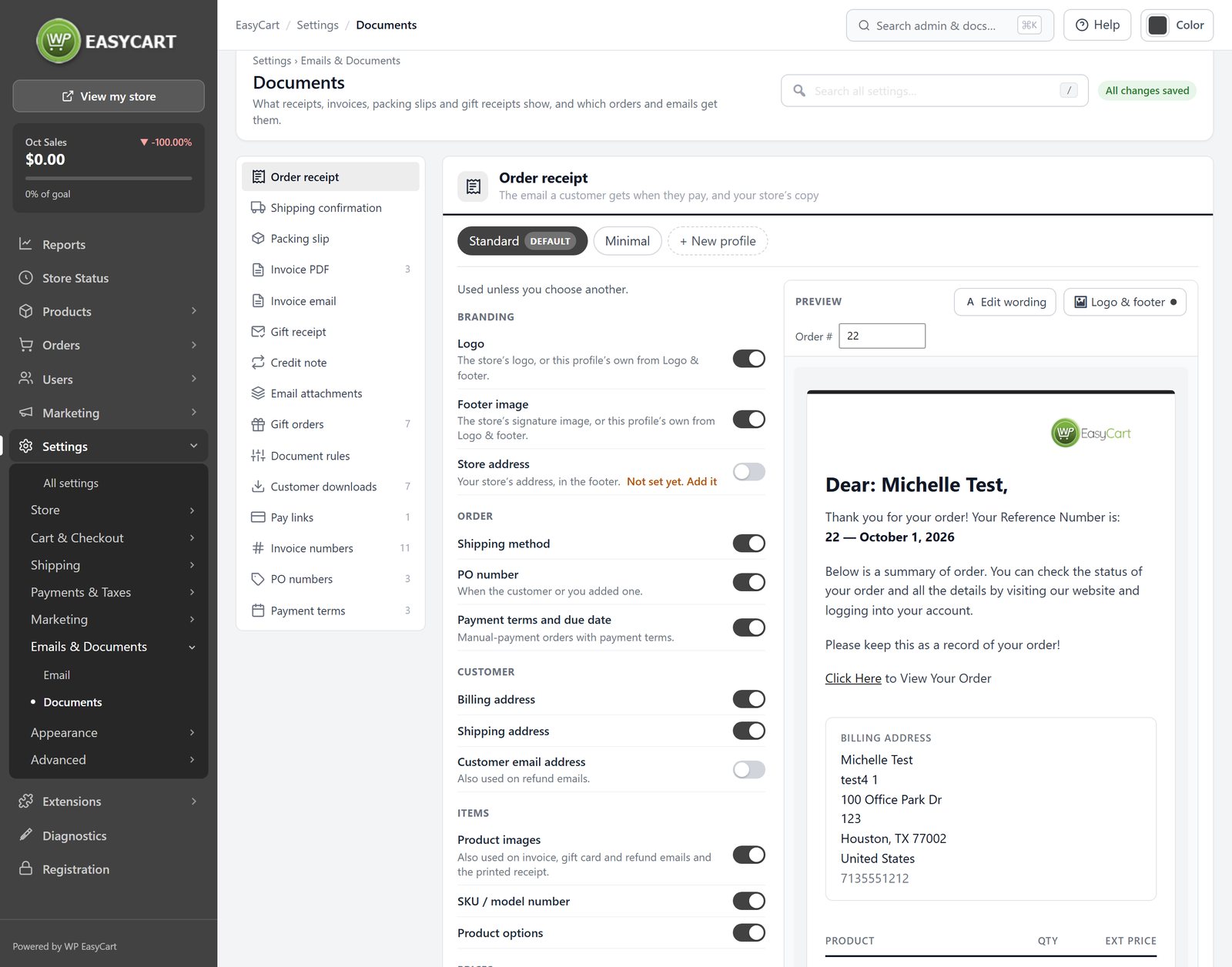
Receipts, shipping confirmations and packing slips carry your logo, and you choose what each one shows with a live preview. PRO adds invoice PDFs, gift receipts and credit notes, and refunds by item, shipping and tax from the order screen, sent back through the gateway.
Start with the free WordPress shopping cart plugin and add what your store needs.
Each one installs in a click from EasyCart › Extensions.
Connects your store to ShipStation: paid orders go in, shipments and tracking come back. Labels, rates at checkout and stock too.
Buys and prints labels for USPS, UPS, FedEx, DHL and more from the order screen, brings tracking and delivery back, and shows Shippo rates at checkout.
Buys USPS, UPS, FedEx and DHL Express labels with your Stamps.com account from the order screen, and brings tracking back to every order.
Syncs orders, customers and products with QuickBooks Desktop through the QuickBooks Web Connector.
In their own words, from WordPress.org reviews.
“It gives you full control over your selling and order process.”
mowikanWordPress.org review, 2024
“The layout of the admin area is superbly easy to use and if you need some detail and background, the documentation and support videos help a great deal.”
jdmeadesWordPress.org review, 2021
“There is much more to talk about such as the affiliatewp plugin, the shipping plugins, wholesale pricing options, order management, shipping management, and on and on.”
jimoquinnWordPress.org review, 2020
Yes, with PRO. The refund window lets you pick items and quantities, restock them, refund shipping and tax, and email the customer. Payments through Stripe, Square, PayPal, Authorize.net and other supported gateways go back through the gateway; anything else is recorded on the order for you to return yourself.
With PRO, press New order on the Orders screen, pick or type the customer, add the items and choose Create and send invoice. The invoice email has a Pay button that opens a page for that one order, paid by Stripe, Square or PayPal.
Yes, in every edition. Print them from the order or for many orders at once with bulk actions. PRO adds invoice PDFs, gift receipts with no prices and credit notes.
Yes. Add, rename and recolor statuses under Settings › Checkout, and mark your own statuses as paid so they count as approved orders.
Yes. Export the orders you select, or every order, from the bulk actions on the Orders screen.
Yes, with the Text Messaging cloud service, added to a PRO or Premium license. Shoppers sign up on the order confirmation page and you choose which changes send a text.
Install the free plugin for the order screen, one-step shipping and documents, or try PRO free for refunds, phone orders and invoices.
★★★★★ 4.5 from 226 public reviews865,000+ downloads25+ years building ecommerce