
What’s newFind any order, customer, product or setting with one admin search. See all features
Extensions › Automation › Zapier
 Included with Premium
Your store, connected to thousands of apps.
New orders, payments, shipments, refunds, customers, newsletter sign-ups, subscriptions and abandoned carts start Zaps. Zaps can update orders, add tracking, create customers and change stock. No code, and no WordPress password handed to anyone.
New Order, Order Paid, Order Status Changed, Order Shipped, Order Refunded, New Customer, New Newsletter Subscriber, New Subscription, Subscription Plan Changed, Subscription Canceled and Abandoned Cart.
Update Order Status, Add Shipment Tracking, Create or Update Customer, Add Newsletter Subscriber and Update Product Stock, with the customer emails when you want them.
Find Order by number or email, Find Customer (or create one) and Find Product by SKU or title.
Zapier connects with a connection key you make in the store. Make one per person, see when each was last used, and revoke one without stopping the others.
Your store sends to Zapier after the page has gone to the shopper, and retries for a day if Zapier can’t be reached.
The Zaps section lists each trigger in use, how many Zaps use it and whether the last send was delivered. Send a test with a real record.
With a Premium license, Zapier installs in one click and updates through WP EasyCart Premium.
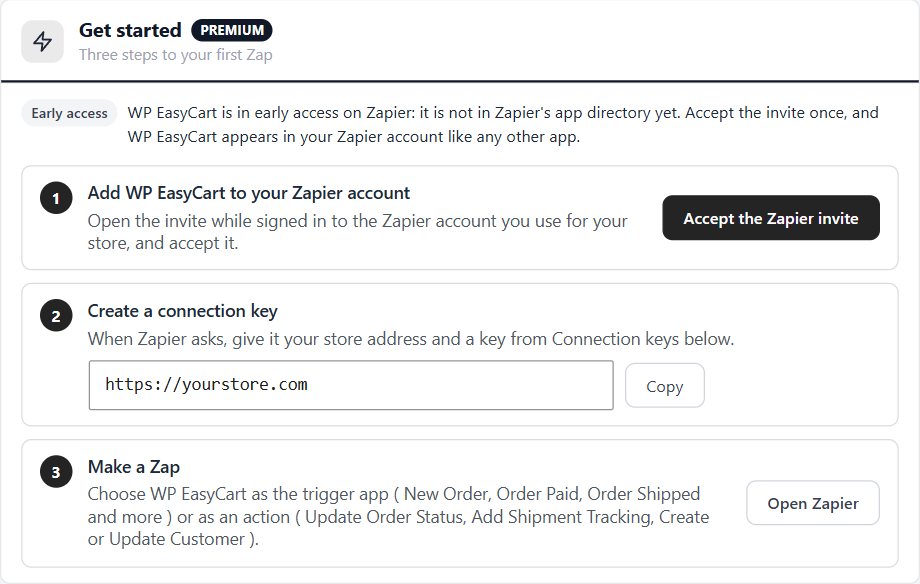
WP EasyCart is in early access on Zapier: press Accept the Zapier invite in Get started.
Name it, press Create key and copy it. It is shown once.
In Zapier, choose WP EasyCart, sign in with your store address and the key, then pick a trigger or an action.
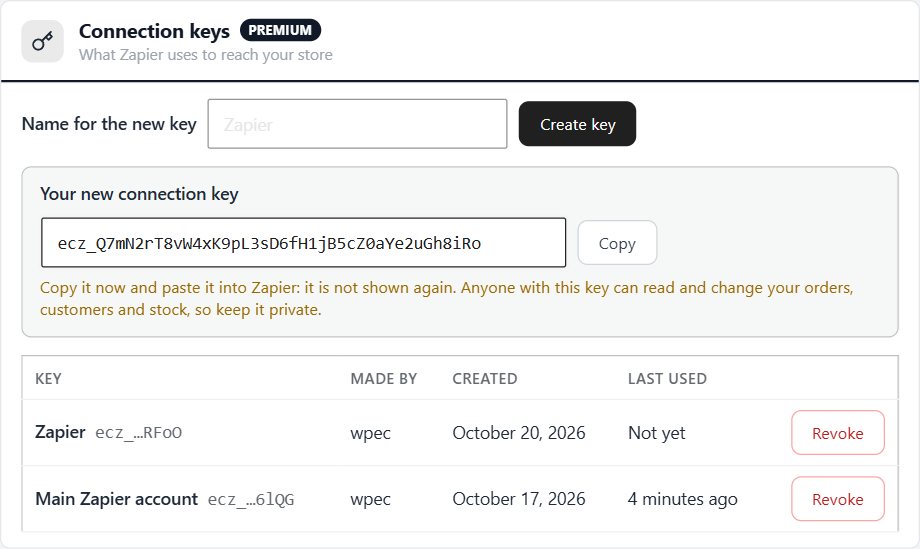
One key per Zapier account or person. Revoke a key and only its Zaps stop.
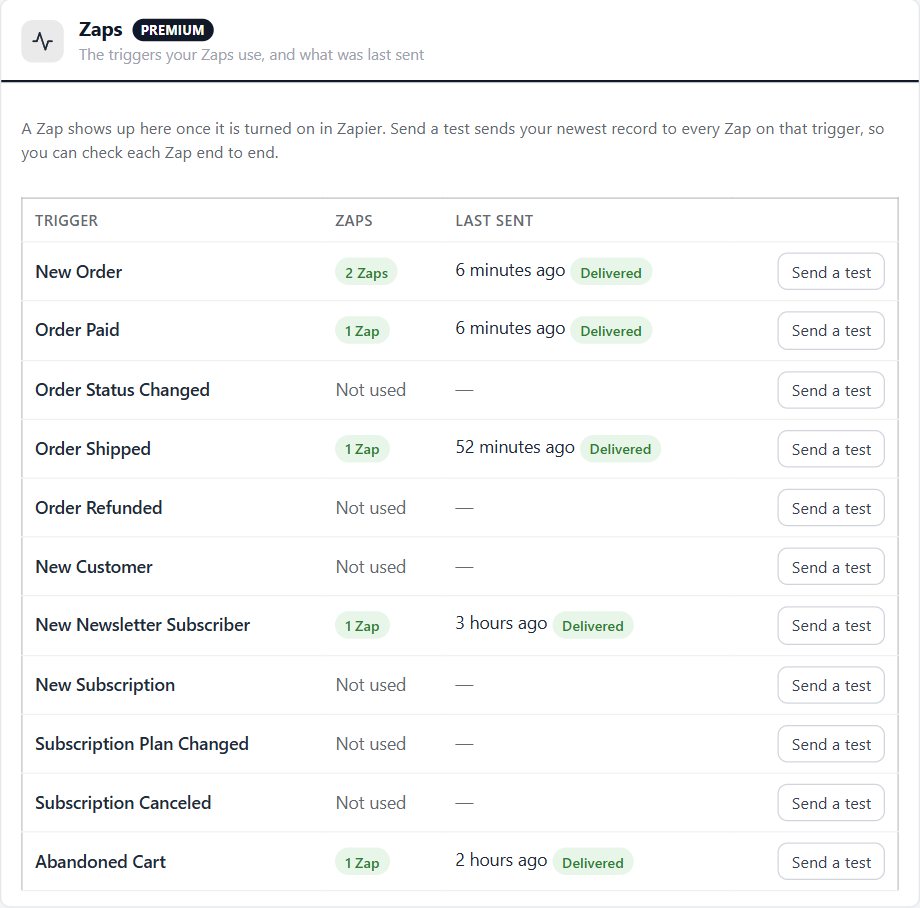
Each trigger in use and its last delivery, with Send a test.
Yes, with WP EasyCart Premium. Install the Zapier extension from EasyCart › Extensions, add the WP EasyCart app to your Zapier account, create a connection key and make a Zap.
WP EasyCart is in early access on Zapier, so it isn't in Zapier's app directory yet. Press Accept the Zapier invite on EasyCart › Extensions › Zapier, or email sales@wpeasycart.com for an invite. Once Zapier lists the app, no invite is needed and Zaps made during early access keep working.
Eleven triggers: new orders, paid orders, status changes, shipments, refunds, new customers, newsletter sign-ups, new subscriptions, plan changes, canceled subscriptions and abandoned carts.
Yes. Zaps can change an order's status, add shipment tracking and mark it shipped, create or update a customer, add a newsletter subscriber and set or adjust a product's stock, including stock by option combination.
A Zap with one trigger and one action works on every Zapier plan. A Zap with a search needs an action after it, which makes three steps, so check that your Zapier plan allows that.
No. Your store sends to Zapier after the page has gone to the shopper. If Zapier can't be reached, it tries again after 1 minute, 10 minutes, 1 hour, 6 hours and 1 day.
Zapier connects with a connection key, never your WordPress password, and your store keeps only a hash of each key. It sends only to Zapier's own hook addresses, and records never include card numbers, passwords, admin notes or private order links.
Your Zaps keep running and keys can still be revoked. Making a new connection key needs a current license.
Keeps products, customers, orders, abandoned carts and coupon codes in step, and newsletter sign-ups both ways.
Connects your store to ShipStation: paid orders go in, shipments and tracking come back. Labels, rates at checkout and stock too.
Syncs orders, customers and products with QuickBooks Desktop through the QuickBooks Web Connector.
Along with every PRO feature and the other Premium extensions, installed and updated from one screen.
★★★★★ 4.5 from 226 public reviews865,000+ downloads25+ years building ecommerce