
What’s newFind any order, customer, product or setting with one admin search. See all features
Extensions › Shipping › Shippo
 Included with Premium
Compare carriers. Print the label. Done.
Open an order, compare USPS, UPS, FedEx, DHL and every other carrier on your Shippo account, then buy and print the label without leaving WP EasyCart. Tracking and delivery come back to the order on their own, and Shippo rates can show at checkout.
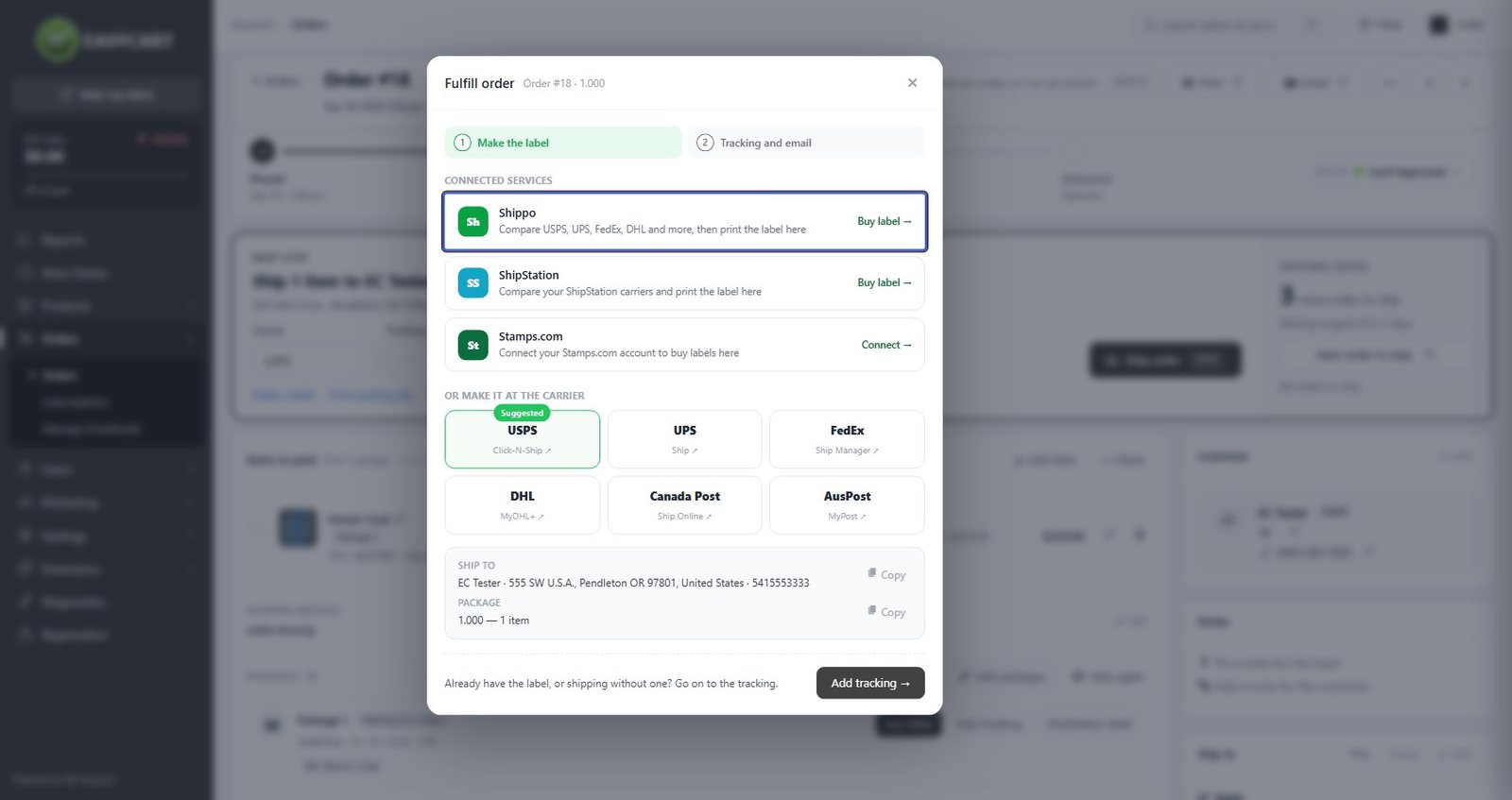
Compare rates from every carrier on your Shippo account, buy the label and print it as PDF, PNG or ZPL. Void a label you won’t use.
Pick orders on the Orders list and buy their labels as one Shippo batch, then make the end-of-day SCAN form so the driver scans one barcode.
In transit, out for delivery and delivered update each package, and WP EasyCart can mark the order Delivered. Labels bought in Shippo’s dashboard come back too.
Offer the service groups you set up in Shippo as shipping choices, priced live for each cart. Needs WP EasyCart PRO.
International packages get their customs form from each product’s HS code and country of origin. Add insurance or a signature by order value.
Buy a return label for a shipped package and email it to the customer with your own message.
With a Premium license, Shippo installs in one click and updates like any other plugin.
In Shippo, open Settings › Advanced › API, generate a live token (and a test token if you like) and paste it into Connection.
Click Check now to see your carriers, then enter the address printed on your labels.
Open an order and click Buy label. Test mode lets you try it with sample labels that cost nothing.
Click Set up to get tracking back as it happens, and pick Shippo service groups to show at checkout.
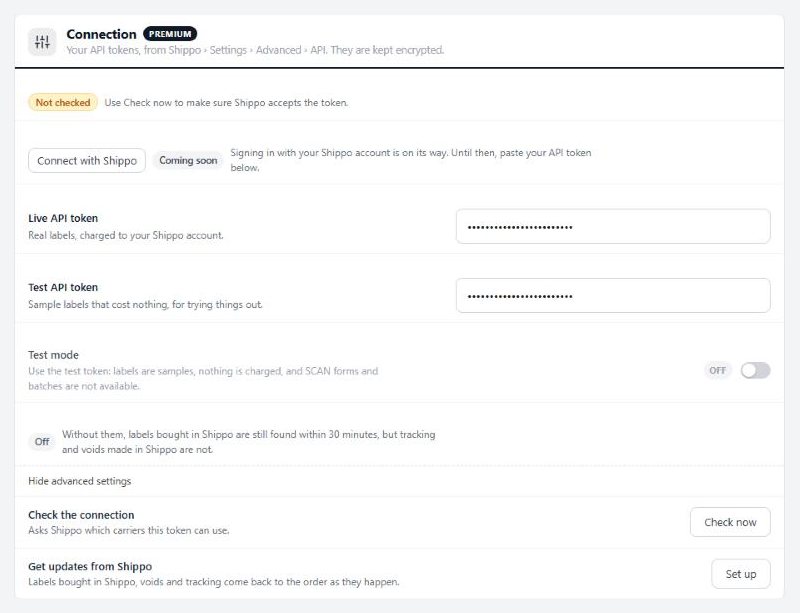
A live token for real labels, a test token for free sample labels. Both are kept encrypted.
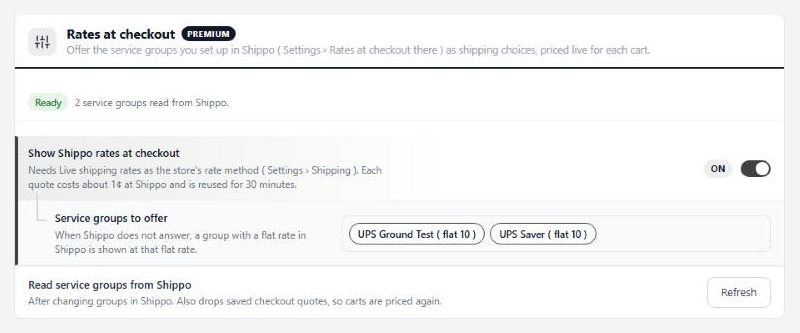
Pick the Shippo service groups your customers see at checkout.
Yes. Each package waiting to ship has a Buy label button. The label window compares every carrier on your Shippo account, checks the address, fills in customs and buys the label, ready to print. You can also void it or make a return label later.
Every carrier switched on in your Shippo account, such as USPS, UPS, FedEx and DHL. Click Check now in the settings to see the list your token can use.
Yes. Add a Shippo test token and turn on Test mode. Labels are samples and nothing is charged. Batches and SCAN forms need the live token, and carriers won't accept a package shipped on a test label.
Yes. Tick the orders on the Orders list and choose Buy Shippo labels. The Ship page quotes each package and buys them as one Shippo batch, then you can make the day's SCAN form.
Yes. Each label saves its tracking number on the package and can email the customer the tracking link. Click Set up once and delivery updates, voids and labels bought in Shippo's own dashboard come back as they happen.
Yes, with WP EasyCart PRO and Live shipping rates as your rate method. You set up service groups in Shippo and pick which ones to offer. If Shippo doesn't answer, a group with a flat rate in Shippo still shows at that rate.
Yes. Shippo installs and updates through Premium, and Premium keeps your Shippo token encrypted.
Connects your store to ShipStation: paid orders go in, shipments and tracking come back. Labels, rates at checkout and stock too.
Buys USPS, UPS, FedEx and DHL Express labels with your Stamps.com account from the order screen, and brings tracking back to every order.
Shows DHL Express rates from your Optimal Logistics account at checkout, with your markup, insurance and delivery days.
Along with every PRO feature and the other Premium extensions, installed and updated from one screen.
★★★★★ 4.5 from 226 public reviews865,000+ downloads25+ years building ecommerce