Connect your Square account in one click, bring your Square items into your WordPress store and take card payments online. Your counter and your website, working together.
1 clickto connect SquareImportitems, variations and stock0%WP EasyCart fee with PRO
Everything you set up in Square comes with you. No re-typing products, no second stock count.
Free
One-click connect
Sign in to Square from WP EasyCart. No API keys to copy and paste.
Free
Bring your items across
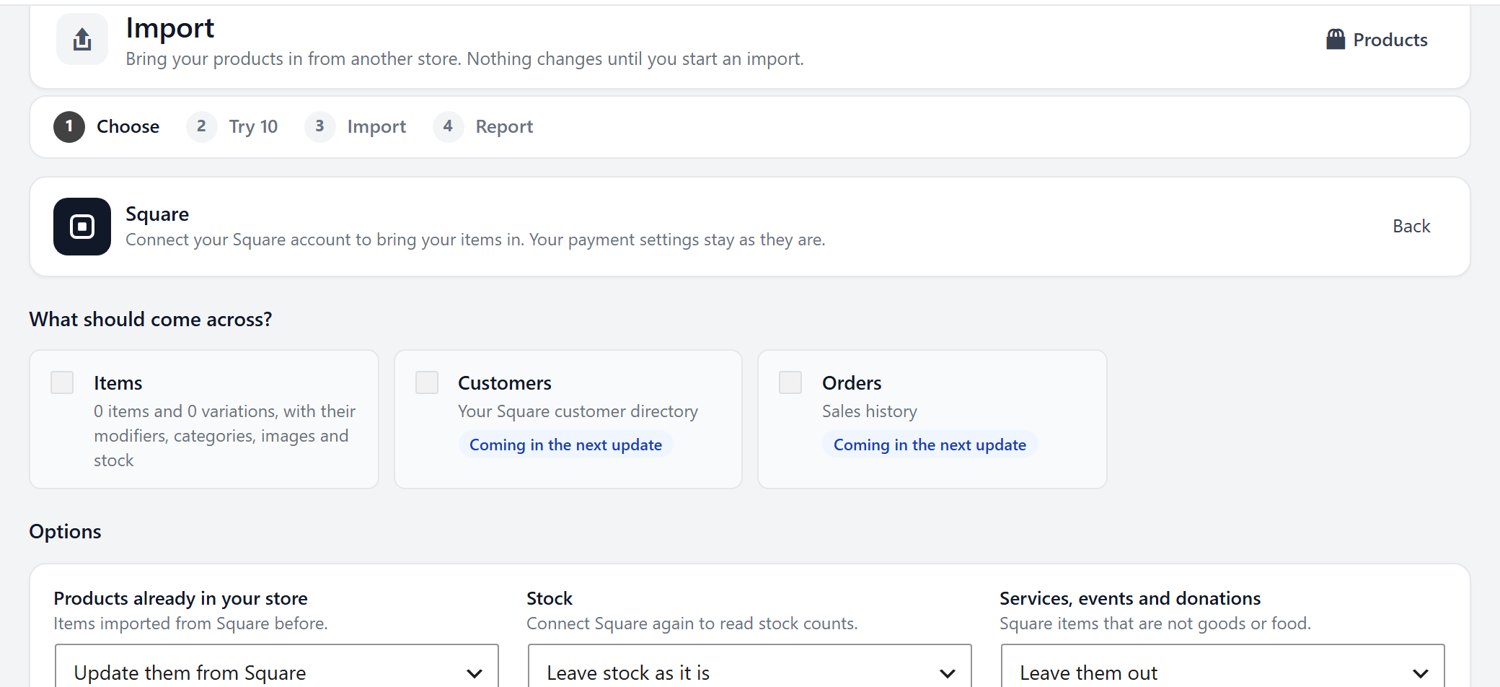
Import items, variations, modifiers, categories, images and stock. Try 10 first, and undo with one click if anything looks wrong.
PRO
Stock that stays in step
Square stock changes reach your store automatically, and store sales lower your Square stock.
Free
Options that match Square
Square modifier lists become option sets, and every variation keeps its own stock.
Free
Online orders in Square
Orders paid with Square show up in your Square account, next to your in-store sales.
PRO
Apple Pay and Google Pay
Add one-tap wallet checkout through your Square account.
Import from Square
Your whole Square catalog, in a few clicks.
Pick what comes across, try 10 products first, then import the rest. Products already in your store can update from Square, and your stock counts can come with them.
Items and variations
Modifiers
Categories and images
Try 10 first
Payments
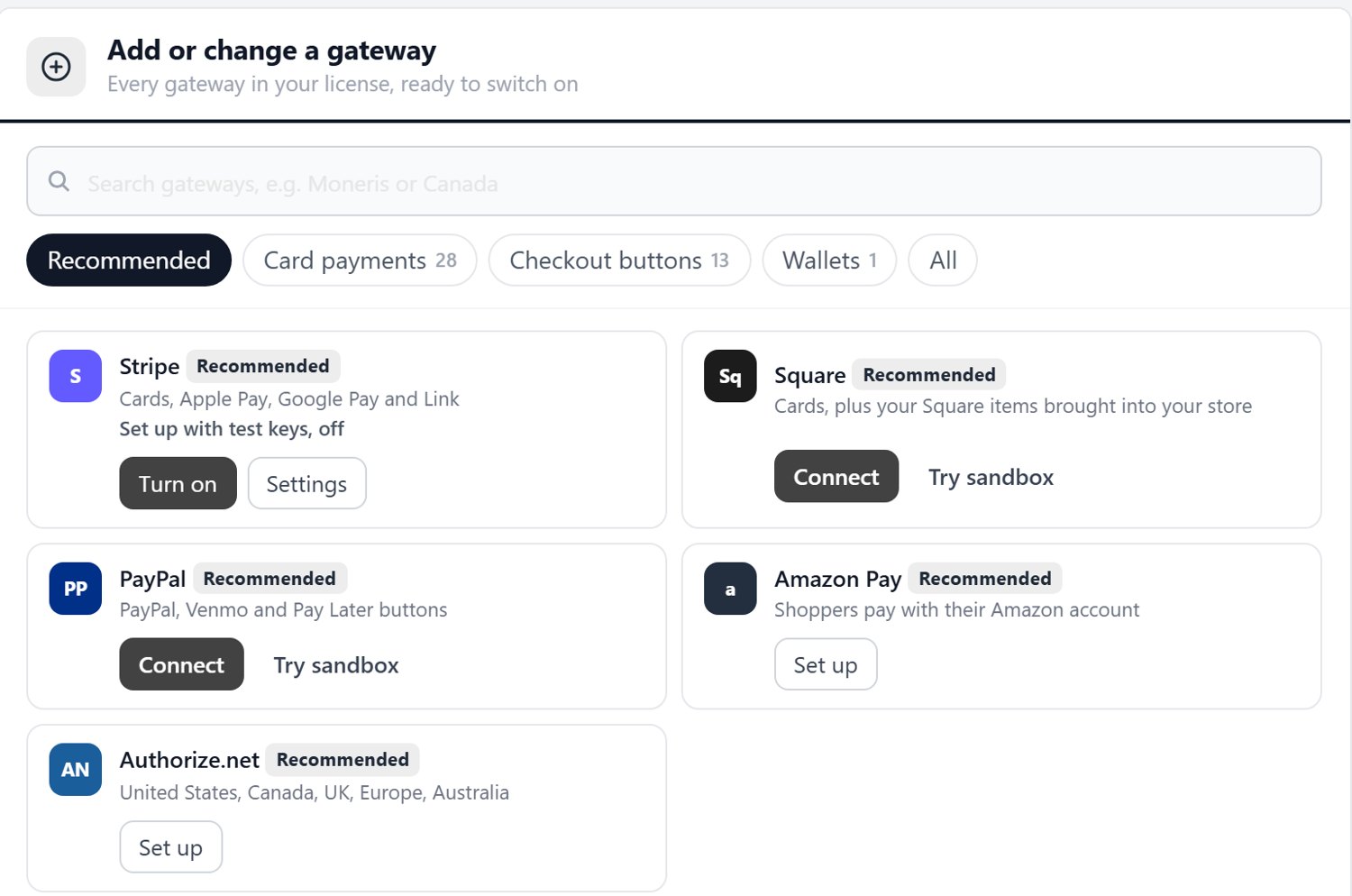
Square sits right beside your other gateways.
Connect Square from the Payments screen, test in the sandbox, then switch it on. Add Stripe or PayPal next to it whenever you like.
Sandbox testing
Cards
Apple Pay and Google Pay with PRO
How it works
Up and running today.
1
Install WP EasyCart
Add the free plugin to your WordPress site from Plugins › Add New Plugin.
2
Connect Square
Click Connect in EasyCart › Settings › Payments and sign in to your Square account.
3
Import and sell
Bring your Square items across, check the first 10, and open your online store.
Yes. WP EasyCart connects to your existing Square account, or you can create one free at Square.
Can I import my Square items?
Yes, in every edition. Items, variations, modifiers, categories, images and stock come across. You can try 10 products first and undo them with one click.
Does inventory stay in sync?
With PRO, stock changes in Square reach your store automatically. In every edition, sales on your website lower the stock of linked items in Square.
Is there a WP EasyCart fee?
The free plugin adds a 2% WP EasyCart fee to Square payments in US dollars. PRO removes it. Square’s own processing fees apply as usual.
Square + WP EasyCart
Take your Square shop online today.
Install free, connect Square and import your items in minutes.

 WP EasyCart+